
The best art commission trackers, compared — Trello, Notion, Sheets, VGen and the rest
August 14, 2026 · Art Commission Desk· Checked September 27, 2026
There is no consensus answer, and that is the most useful thing to know before you start looking. Ask a room of commission artists how they track their queue and you get eight answers, none of them dominant: spreadsheets, Trello, Notion, the queue built into a marketplace, a note-taking app, a whiteboard, a paper ledger, and "I only take three at a time so I don't need to".
We make one of the tools compared here, so read this with that in mind. Where another option fits you better, we say so.
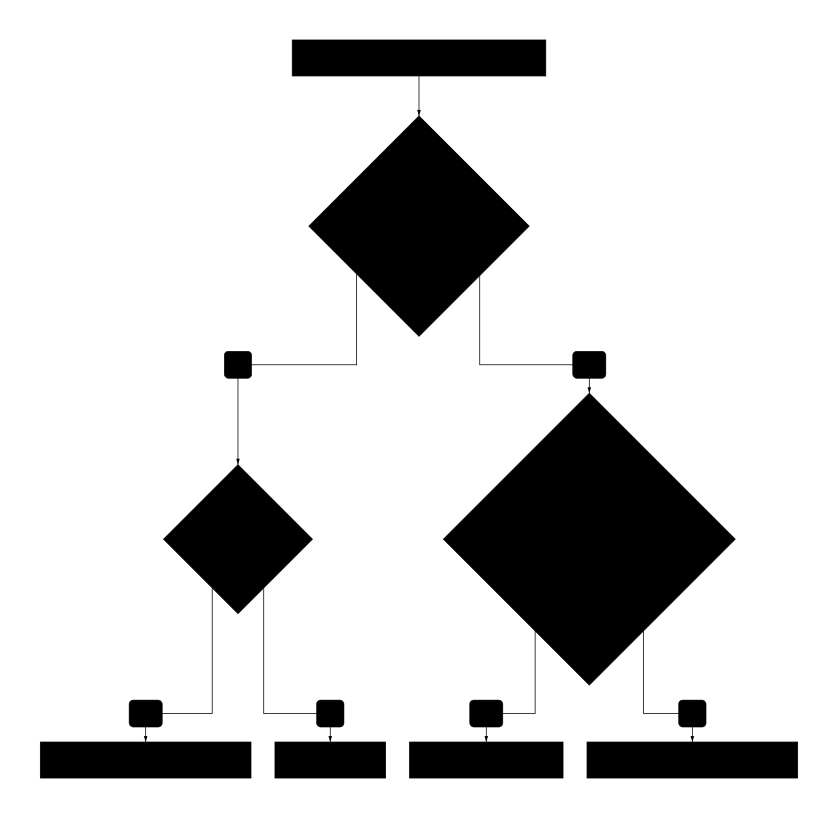
That last branch is the gap this post is really about. The rest of it is the four things that decide which of the other three fits you.
Everyone rebuilds this, and nobody is happy
The line that stuck with us is from a working artist on r/ArtistLounge:
i've been doing commissions on and off my entire art life and i feel like i've never had a "good" way of keeping track of my queue
The replies to that thread are the best census of the field we have found. Trello came up four times, spreadsheets twice, then one each for VGen's built-in queue, Artistree, Milanote, macOS file tags with a saved search, a wall of printed year calendars, and a handwritten ledger. That ledger is worth a look, because whoever keeps it has independently arrived at a real schema:
Brand/business/client name, Project title, Deadline, Date delivered, Invoice sent date, Payment received date, Payment deposited date
Three separate dates for one payment. That is not fussiness — it is someone who has been caught out by the gap between "they said they paid" and "the money is in the account".
The four things that decide it
1. Stage detail. Generic project tools give you To Do / Doing / Done, which for a commission means everything lives in "Doing" for three weeks. The two most-used community templates converged independently on roughly the same granularity: the Trello template "Commission Queue for Artists" runs Sketched → Lined → Colored → Shaded → Final Touches, and the most-reviewed Notion commission tracker runs sketch → line art → colour → finishing. Four to five production steps is what this work actually has.
2. Payment as its own axis. Both of those templates treat money separately from progress — the Trello one has Awaiting Payment and Paid as their own columns. A piece can be finished and unpaid; a piece can be paid and not started. Tools that squeeze payment into the same status field force you to choose which fact to display.
3. What the client can see, and whether they can change it. This is where most of the options fall down, and it is covered in more detail in showing clients where their commission is. Short version: sharing is usually all-or-nothing per board, and read-only access is often the paid tier — so a free public board is one strangers can edit.
4. Whether you can find last year's numbers. Tax season is the moment people discover their tracker was a to-do list. If cancelled and completed work is deleted rather than archived, the record is gone. The Notion template has an explicit cancelled status; the Trello one has no equivalent, which tells you what happens to those cards.
The options
Trello, with the community template. The most copied answer in this space by a wide margin, and deservedly — the board metaphor fits, the "Commission Queue for Artists" template is free, and clients understand a card without an explanation. It breaks on point 3. On the free plan you have two choices. You can make the board public: anyone with the link can view it, only board members can edit it, and any Trello user can comment or vote unless you switch that off. But public means the whole board, every other client's card included, and Trello's own documentation doesn't agree with itself on whether search engines index public boards. Or you can invite the client, which makes them a member who can edit. Giving one person view-only access to a private board is Trello's "Observer" role, and that is a Premium feature ($10 per user per month, billed annually). View-only for clients is what artists actually want, as one on r/artbusiness put it:
I'm really just trying to make it so someone can't go into the board and move stuff around and write something offensive everywhere
Notion, with a commission template. More data model than Trello — the well-reviewed templates split client info and commission info into separate tables, which is the right shape and pays off after a year of history. Sharing is per page, so the same privacy problem, and you are maintaining a database as well as an art business. If you're comparing specific templates, we surveyed the Notion, Etsy and Jotform options side by side.
Google Sheets or Excel. The most common answer after Trello, and much less of a downgrade than it looks. It handles points 1, 2 and 4 perfectly well — arbitrary columns, easy export, nothing is ever deleted — and it can be shared read-only for free, which Trello cannot. What it does not give you is a view a client enjoys reading. If this is the route you're taking, here's how to actually build one, including the client-view trick and where it gives out.
Milanote, and note-app answers generally. "A board with a few tables: to-do, deadline, and in progress." Fast to set up, no structure imposed. Same trade as Trello, without the template ecosystem.
VGen's built-in queue. Genuinely liked by the people using it — one artist called it "very amazing" and said the site's cut is "justified". Two catches. VGen charges artists a 5% service fee plus payment processing on each commission (clients pay nothing extra). And you need an artist invite code to sell there at all. Clients can sign up freely; the gate is on the artist side, and codes come from other artists vouching for you or from VGen's weekly promo posts and monthly challenges. Until you have one, VGen's queue isn't an option, which is one reason people end up with a tracker and a marketplace.
Artistree. Free for artists. Clients pay a platform fee on top of your price instead, around 6.5% according to terms artists have quoted from it. One first-hand account, quoted in full because it is the fairest summary of the category:
artistree does a good chunk of the legwork for you if you do the whole process through the platform, like sort commissions by status (awaiting payment, paid, wip sent etc) but i don't think it's as customizable as trello
Note "if you do the whole process through the platform". That conditional is the whole trade.
Side by side
| 4–5 production stages | Payment on its own axis | Client can see it | Read-only for visitors | Keeps cancelled work | Platform fee | |
|---|---|---|---|---|---|---|
| Trello + template | Yes | Yes, own columns | Public board (whole board), or Premium observer | Public: yes. Per person: Premium | No cancelled state | None |
| Notion + template | Yes | Varies by template | Publish the page | Yes | Yes | None |
| Sheets / Excel | However you like | Yes | Share the file | Yes, free | Yes | None |
| Milanote | However you like | Manual | Share the board | Yes | Yes | None |
| VGen | Built in | Built in | Yes | Yes | Yes | 5% + processing, paid by the artist |
| Artistree | Built in | Built in | Yes | Yes | Yes | ~6.5%, paid by the client |
Checked 2026-09-27 against Trello: board visibility, Trello: observers, Trello pricing, VGen: fees and VGen: artist codes. The Artistree figure comes from artists quoting its terms, not from an Artistree pricing page.
When you don't need us
- Every client comes through VGen or Artistree. The platform's own queue already tracks the work, and the client already has an account there. A second tracker is duplicate bookkeeping.
- You take two or three commissions at a time. A spreadsheet, or a note, is enough. The problems in this post show up at volume.
- You want clients to pay or approve revisions online. We don't do either. A marketplace does.
Where we come in
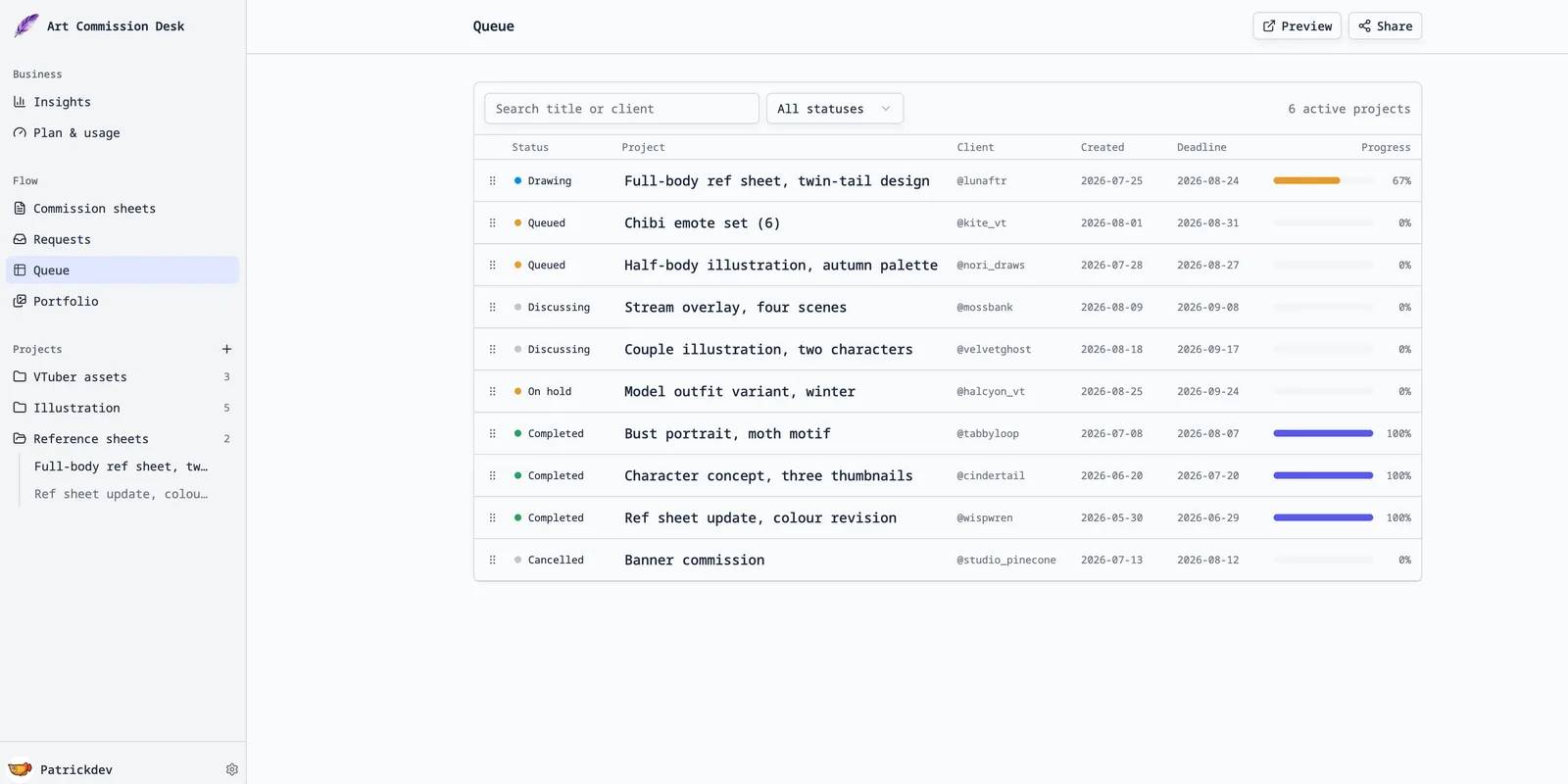
We build a workspace for commission artists. On the four points above: production stages are yours to name and reorder, payment is recorded as separate line items rather than a status, each project is public or private on its own — so one client's link shows that client's piece and nothing else — and public pages have no controls on them at all, because there is nothing there to edit. Clients can look, not act: there is no approve button, no revision request and no payment on the page. That conversation stays in your DMs. We take no cut; we do not touch the payment.
What we are not: a marketplace. Nobody discovers you through us, and we do not process the money.
Three things that help whatever you use
- Separate "paid" from "done". One column, one field, anything — just not the same one as progress. Every mature template in this space has independently done this.
- Never delete a cancelled commission. Move it, mark it, archive it. In January you will want to know what happened and how often.
- Record the payment date, not just the fact. The ledger-keeper above tracks invoice sent, payment received and payment deposited separately. If a chargeback ever arrives, that column is your timeline.
Related: what belongs on a commission sheet, and how to show clients progress without sharing your board. We make one of the tools mentioned above; everything here is meant to be useful whether or not you use it. Prices and features change — if we have something wrong, tell us and we will correct it.